- Perplexity Comet is the best free agentic AI browser in 2026 — available on Mac, Windows, iOS, and Android with no subscription required.
- ChatGPT Atlas offers the most transparent AI agent execution but remains macOS-only as of April 2026.
- Dia Browser (backed by Atlassian's $610M acquisition) has the strongest long-term roadmap for developers and enterprise teams.
- Brave Leo is the only AI browser where data never reaches third-party model providers — the correct choice for regulated industries.
- Chrome Auto Browse shipped January 2026 — the dominant browser finally has agentic features, though still paywalled for US users.
- Every agentic browser carries prompt injection security risks — never keep banking or sensitive accounts open during AI agent sessions.
For most of the last decade, choosing a browser was a mildly interesting weekend project that ended with you installing Chrome anyway. Firefox for the idealists, Safari if you were too deep in the Apple ecosystem, Edge if IT locked down your laptop. But fundamentally? Browsers were commodities. Tabs in, pages out.
That era is over.
In 2025 and into 2026, a wave of AI-native browsers landed — and they don't just load pages. They summarize them, act on them, book things through them, and autonomously navigate the web on your behalf. The question is no longer "which browser is fastest." It's "how much of my browsing do I actually want to delegate to an AI agent?"
This piece is a deep technical breakdown for developers and power users, updated through April 2026 with the latest release notes, real-world testing data, security findings, and pricing details. We've covered every significant AI browser on the market — from Perplexity Comet and ChatGPT Atlas to Opera Neon, Brave Leo, Dia, and the AI-augmented incumbents Chrome and Edge — with granular detail on what each one actually does and where each one fails.
Context
Full timeline: how we got here
The AI browser race compressed what would normally take years into a single chaotic sprint. Understanding the sequence matters — it explains why Arc is dead, why Comet is free, and why Chrome finally moved.

The AI browser race: key milestones from June 2025 through April 2026
Tier 1 — Agentic
Perplexity Comet: The Best Free AI Browser in 2026
What is Perplexity Comet? Perplexity Comet is a free AI-native browser built on Chromium that offers fully autonomous web navigation, real-time tab awareness, and deep research automation. Launched July 2025 and made free globally in October 2025, Comet is available on Mac, Windows, iOS, and Android, making it the most accessible agentic browser in 2026.

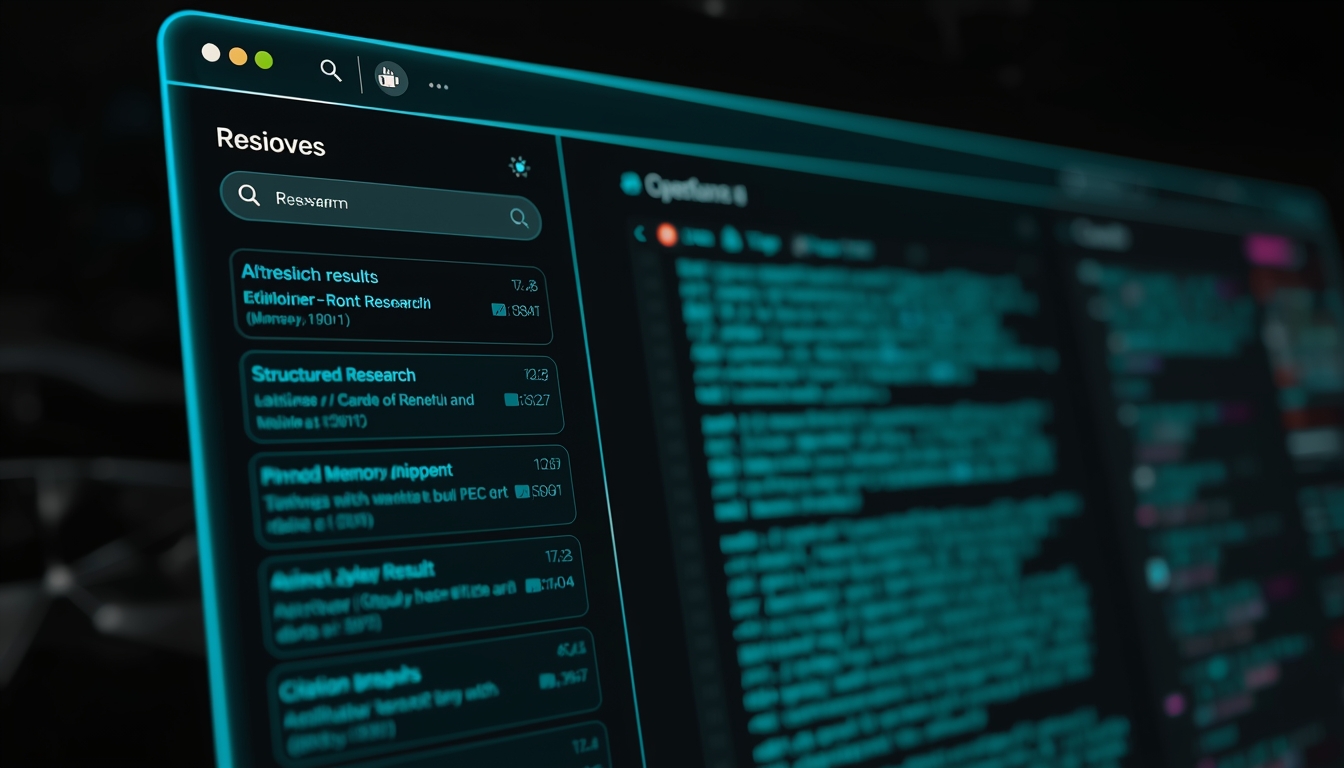
Comet's always-on sidebar tracks open tabs in real time — no manual prompting required
Launched July 2025 for Perplexity Max subscribers before going globally free on October 2, Comet was the first fully shipped agentic browser — and it remains the most accessible. Built on Chromium with Perplexity's search engine woven into every layer, the browser's left-hand sidebar is a live, always-on AI assistant that watches your open tabs in real time. It doesn't wait to be prompted — it reads what's on screen, tracks tab context, and is ready to act instantly. Responses arrive in structured, cited cards. You can pin results as memory snippets for long-running research — a feature designed specifically for people who live across dozens of tabs. The March 2026 iOS launch hit #3 overall in the US App Store within 48 hours, proving demand is real. That same month, Deep Research gained the ability to generate PowerPoint presentations, spreadsheets, and dashboards directly from your research prompts — eliminating the copy-paste step to other tools entirely.
Expert ratings at a glance
- Free Agent Mode — the only fully agentic browser with zero subscription required for core autonomous tasks
- All-platform reach — Mac, Windows, iOS, Android all ship; no other Tier 1 agentic browser matches this
- Deep Research output — generates PPTX, XLSX, dashboards directly; eliminates downstream copy-paste entirely
- Real-time tab awareness — sidebar tracks what's on screen without needing manual prompting
- Three privacy modes — Standard, Strict, and Local give genuine granularity; Local processes entirely on-device
- Voice mode via GPT Realtime — hands-free research and browsing is genuinely useful on mobile
- Chrome extension support — your existing Chromium extensions work without any reconfiguration
- Memory snippets — pin cited research across sessions; invaluable for week-long projects
- Workspaces — organized containers with shared tab context keep parallel research projects cleanly separated
- Snap deal reach — $400M Snapchat search integration extends Perplexity's data access to near-billion user signals
- Citation hallucination rate — fabricates citations approximately 14% of the time under heavy multi-tab research load; always verify URLs on consequential work
- SPA / JavaScript apps — agent regularly struggles or hangs on React, Vue, and Angular-heavy sites; scores 4/10 in independent testing
- CometJacking vulnerability — prompt injection via hidden HTML was partially patched but not fully resolved; authenticated sessions remain at risk
- Amazon lawsuit — commerce automation is legally contested as of January 2026
- Form-fill edge cases — non-standard login flows, CAPTCHA-protected forms, and unusual UI patterns cause misclicks or silent failures
- Standard mode data sharing — the default setting shares session context with Perplexity servers; new users rarely notice they've opted in
- Flight/travel booking inconsistency — cross-site data gathering on dynamic booking engines is unreliable; expect manual fallback
- High automation quotas behind paywall — Max tier ($200/mo) required for enterprise-scale automation; free tier has undisclosed daily limits
- No enterprise controls — zero SCIM provisioning, no ADMX policies; not deployable in regulated environments
- iOS uses WebKit — Apple restrictions force iOS version onto WebKit engine; feature parity with desktop is limited
Performance ratings
Security researchers discovered that hidden instructions in links, image alt text, screenshots, or invisible HTML could hijack Comet's agent without user interaction. When authenticated tabs (Gmail, Google Drive) were open, the hijacked agent could access and exfiltrate data. Perplexity patched input filters and added clearer pre-action warnings. Independent audits show Comet remains more vulnerable to phishing than Chrome by roughly 85% in certain scenarios. Recommended mitigation: never leave banking, brokerage, or sensitive authenticated tabs open while Agent Mode is active. Use "Strict" privacy mode when handling confidential material.
During intensive multi-source research tasks, Comet generates citations that don't exist approximately 14% of the time — compared to under 1% for models like OpenAI o3 Pro. For simple queries, accuracy is near-perfect. The hallucination rate climbs when the agent synthesizes across many tabs with ambiguous prompts. Always verify source URLs on consequential research.
Tier 1 — Agentic
ChatGPT Atlas: OpenAI's AI-Native Browser for Mac
What is ChatGPT Atlas? ChatGPT Atlas is OpenAI's Chromium-based AI browser, launched October 2025 for macOS Apple Silicon. It integrates ChatGPT at the OS-browser interface level with native DOM access (not screenshots), step-by-step narrated Agent Mode, and cross-tab search. It requires ChatGPT Plus ($20/mo) or Pro ($200/mo) for agentic features.
Launched October 21, 2025, Atlas is OpenAI's answer to the question: "What if ChatGPT was the browser?" Built on Chromium for macOS Apple Silicon, Atlas integrates ChatGPT at the OS-browser interface level — the sidebar assistant reads page content natively, without screenshots or copy-paste, because it has direct access to the rendered DOM. The experience feels noticeably more coherent than extension-based AI. Agent Mode (Plus/Pro/Business only, in preview) narrates its reasoning step-by-step as it works — this transparency is Atlas's strongest differentiator over Comet's more "black box" approach. The optional Browser Memories feature stores data on OpenAI servers for 30 days, then deletes it. The update cadence since launch has been aggressive: vertical tabs, multiple profiles, Auto search mode, tab groups, cross-tab search, and reduced Agent "laziness" all shipped by April 2026.
Expert ratings at a glance
- Native DOM access — reads page content without screenshots or copy-paste; the most accurate page understanding of any browser reviewed
- Step-by-step agent narration — every autonomous action is explained in real time; builds genuine trust for delegated tasks
- Cross-tab search — find content across all open tabs simultaneously; uniquely useful for power users with 50+ tabs
- Inline text editing — highlight any form field or text area and edit it in place with GPT; no sidebar switching required
- Multiple profiles — separate cookies, history, and bookmarks per profile; essential for consultants managing multiple client contexts
- Aggressive update cadence — vertical tabs, tab groups, Auto search, and agent improvements all shipped within 6 months of launch
- Per-site privacy toggle — granular control over what ChatGPT can see on each domain, directly in the address bar
- Training opt-out default — model training is off by default; must explicitly opt in to contribute to OpenAI training data
- OpenAI + Codex unification — merging with ChatGPT app and Codex creates a unified AI workspace for developers
- ChatGPT subscription included — Plus/Pro subscribers get Atlas at no extra cost
- macOS only — indefinitely — Windows, iOS, Android listed as "coming soon" since October 2025 with no announced date
- Apple Silicon requirement — Intel Mac users excluded entirely; no Intel build available or announced
- Agent Mode requires paid tier — $20/mo Plus minimum for basic Agent Mode; free users get a dramatically reduced experience
- Tainted Memories CSRF vulnerability — malicious pages could inject persistent hidden instructions into cross-session memory; patched but category risk remains
- Financial tasks explicitly warned against — OpenAI advises against using Agent Mode for banking or sensitive financial tasks
- Browser Memories stored on OpenAI servers — 30 days retention; not suitable for legal-privilege or healthcare data
- No third-party integrations — Dia connects to Slack, Notion, Calendar, Gmail; Atlas has no equivalent cross-app context
- Limited mobile story — no mobile browser; ChatGPT mobile app is separate
- Merger complexity — unification with Codex and ChatGPT app introduces uncertainty about Atlas's distinct roadmap
- Premium price vs. free Comet — paying $200/mo for Pro when Comet offers comparable free agent automation is difficult to justify
Subscription model breakdown
| Tier | Price | Agent Mode | Key features |
|---|---|---|---|
| Free | $0/mo | ✕ | Basic AI search, page summarization, inline writing help |
| Plus | $20/mo | Preview | Agent Mode preview, browser memories, higher limits, GPT-4o |
| Pro | $200/mo | ✓ Full | Full Agent Mode, priority access, GPT o3 Pro, extended context |
| Business | Custom | Early access | Agent Mode + admin controls, team management, early features |
LayerX Security disclosed a cross-site request forgery vulnerability: after a user clicked a malicious link, a compromised page could inject persistent hidden instructions into Atlas's memory system — persisting across sessions and devices. OpenAI addressed the issue, but anti-phishing protections were criticized at launch. OpenAI explicitly advises against using Agent Mode for sensitive financial tasks. Prompt injection via webpage content remains a category risk across all agentic browsers.
Atlas launched on macOS Apple Silicon in October 2025. Windows, iOS, and Android have been listed as "coming soon" since launch with no announced date. Atlas, the ChatGPT app, and Codex are merging into one desktop app — this merger may affect the Windows timeline. If you're evaluating Atlas as a team's primary browser, wait for Windows before committing.
Tier 2 — Smart Assistants
Dia Browser: Atlassian's $610M Bet on Developer-First AI Browsing
What is Dia Browser? Dia Browser is an AI-native Chromium browser developed by The Browser Company and backed by Atlassian's $610M acquisition. It features programmable "Skills" — scriptable AI shortcuts — plus integrations with Slack, Notion, Gmail, and Google Calendar. Available on macOS 14+ (Apple Silicon) and Windows early access as of March 2026.

After Atlassian acquired The Browser Company for $610M cash in September 2025, Dia became the singular strategic focus — all Arc development stopped. Dia is a clean-slate Chromium browser that treats AI as the primary interaction model from first principles. The URL bar functions as both navigation and a full chatbot. Atlassian's strategic thesis: 85% of enterprise workflows happen inside browsers, but no browser was built with work context in mind. In March 2026, Dia added third-party integrations — the AI assistant can pull live context from Slack, Notion, Google Calendar, Gmail, and Amplitude to generate cross-source reports and presentations. Arc's "greatest hits" UX patterns have been porting over steadily: vertical tabs, pinned tabs, focus mode, Google Meet picture-in-picture, and custom keyboard shortcuts all landed by November 2025.
Expert ratings at a glance
- Skills system — programmable, scriptable AI shortcuts with multi-tab context awareness; no equivalent on Chrome, Edge, or Comet
- Atlassian backing — $610M cash acquisition from a profitable, $55B enterprise software company; existential funding risk is effectively zero
- Cross-app integrations — Slack, Notion, Gmail, Google Calendar, and Amplitude in a single browser context is architecturally unique
- Arc UX DNA — vertical tabs, Spaces, focus mode, and command bar were best-in-class; Dia is inheriting all of them
- Jira/Confluence pipeline — the upcoming integration makes Dia the only browser purpose-built for Atlassian-centric dev teams
- Best long-term roadmap — enterprise distribution channel + Jira/Confluence data + Skills customization is a genuinely differentiated moat
- Community Skills library — import and adapt pre-built AI workflows from other developers without building from scratch
- Free tier generous — core Skills and AI URL bar features available without payment
- Privacy local controls — browsing history as AI context is opt-in and explicitly user-controlled
- Google Meet PiP — automatic picture-in-picture on tab switch during meetings
- No agentic task execution — Dia assists and generates, but it does not navigate, click, or form-fill autonomously
- No mobile browser — mobile support is "planned" with no timeline
- Enterprise controls are roadmap-only — no ADMX templates, SCIM provisioning, or eDiscovery as of April 2026
- macOS 14+ and Apple Silicon required — Intel Mac users and older macOS versions are excluded; Windows only in early access
- Vision-product gap — the Atlassian thesis is compelling but most differentiating features are months away
- Arc users abandoned mid-journey — The Browser Company halted Arc development, leaving existing users with a dead-end product
- Narrow current use case — without Jira integration, Dia lacks the killer feature that justifies switching from Chrome today
- Limited model transparency — unclear which AI models power Dia's AI features; no model-selection UI
- Small community library today — Skills library is growing but thin for niche dev workflows
- Windows is early access — quality and feature parity are still below macOS
Atlassian claims 2.4 billion hours are lost annually at Fortune 500 companies to information hunting. Dia's long-term roadmap includes deep Jira and Confluence integration, enterprise admin controls, compliance tooling, and cross-SaaS-app context. However: as of April 2026, enterprise admin tooling is still roadmap-only. There are no published ADMX templates, SCIM provisioning, or policy catalogs for IT departments. Treat Dia as a pilot-only browser for regulated environments until those controls ship.
Tier 2 — Smart Assistants (maintenance)
Arc Max: The Best Dead-End Browser Ever Built
Arc redefined browser UX when it launched in 2023 — the sidebar-first layout, Spaces for separate workspaces, hover-to-summarize links, Ask on Page, and command bar were all ahead of their time. With Atlassian's acquisition complete and Dia absorbing all development resources, Arc is security-patches-only. If you're on Arc and happy, there's no urgent reason to switch today — all AI features remain free, unlimited, and polished. If you're choosing fresh, start with Dia and skip the dead-end investment.
Arc is the best browser ever built for a world that no longer exists. The UX is flawless, the AI features are genuinely useful, and it costs nothing. But in a market where competitors are shipping autonomous agents, cross-app integrations, and agentic commerce, "polished static UX" is not a viable long-term product strategy. Stay if you're already there — migrate to Dia before the end of 2026.
Tier 1/2 — Hybrid
Opera AI & Opera Neon: Best Free AI Browser for All Platforms
What is Opera Neon? Opera Neon is a premium agentic browser ($19.90/month) that provides access to GPT-5.1, Gemini 3 Pro, and Veo 3.1 under a single subscription. Its three-component system — Chat, Neon Do (autonomous task execution), and Make (web creation tool) — runs agentic tasks in cloud VMs that continue working even when your laptop is offline.
Opera runs two products in parallel in 2026. Opera AI (the free tier) gives you page summarization, AI image generation (100/day), video analysis, natural language tab commands, code debugging, and a multi-model sidebar where you switch between AI providers per task — all at zero cost. Opera Neon ($19.90/month) is a separate, premium agentic browser. Neon's three-headed AI system divides work into Chat, Neon Do (agentic browser controller), and Make (a creation tool that builds websites, games, videos, and reports as shareable URLs). The model roster is a genuine differentiator: Neon subscribers get GPT-5.1, Gemini 3 Pro, Veo 3.1, and Nano Banana Pro — all through one $19.90/month subscription.
Expert ratings at a glance
- Best free AI browser overall — Opera AI's free tier includes image generation (100/day), multi-model switching, video analysis, and tab commands
- Multi-model sidebar — switch between GPT, Gemini, and others per task without separate accounts
- Best mobile AI story — iOS and Android apps with full AI feature parity; only browser with genuine mobile parity to desktop
- AI image generation built-in — 100 free images/day via Nano Banana; no Midjourney subscription required for basic needs
- Make tool (Neon) — build shareable web apps, websites, and interactive tools with AI as URLs; no direct competitor on any other browser
- Multi-model Neon subscription — GPT-5.1 + Gemini 3 Pro + Veo 3.1 under one $19.90/mo subscription
- No ecosystem lock-in — unlike Comet (Perplexity) or Atlas (OpenAI), Opera has no single-model dependency
- Built-in VPN + ad blocker — engine-level blocking and built-in VPN at no extra cost
- ODRA deep research — complex topic synthesis with citations comparable to Comet's research at lower cost
- Cloud VM agents (Neon) — agentic tasks continue running in cloud VMs even when your laptop is offline
- Neon agents don't share context — Chat, Do, and Make cannot communicate with each other; fundamentally limits complex workflows
- Chat hallucinated invisible content — independent testers found Chat confidently describing article content it could not actually see
- Do agent requires frequent intervention — barely-visible red alerts appear when the agent needs help
- Beta-quality Neon at paid pricing — $240/year for early-access reliability makes the value proposition questionable
- No cross-app integrations — unlike Dia (Slack, Notion, Calendar), Opera has no third-party workspace integrations
- No enterprise controls — zero SCIM, zero policy management, zero eDiscovery
- Opera brand skepticism — Opera sold to a Chinese consortium in 2016; some privacy-conscious users remain wary
Tier 3 — Privacy-First
Brave + Leo AI: The Only AI Browser for Regulated Industries
What is Brave Leo AI? Brave Leo is a built-in AI assistant in the Brave browser that processes all queries through Brave's own AWS infrastructure — meaning no data ever reaches Anthropic, Meta, or other model creators. It requires no login, stores no conversations in the cloud, and supports local models via BYOM (Bring Your Own Model) with Ollama integration. Free tier available; Premium at $14.99/month.
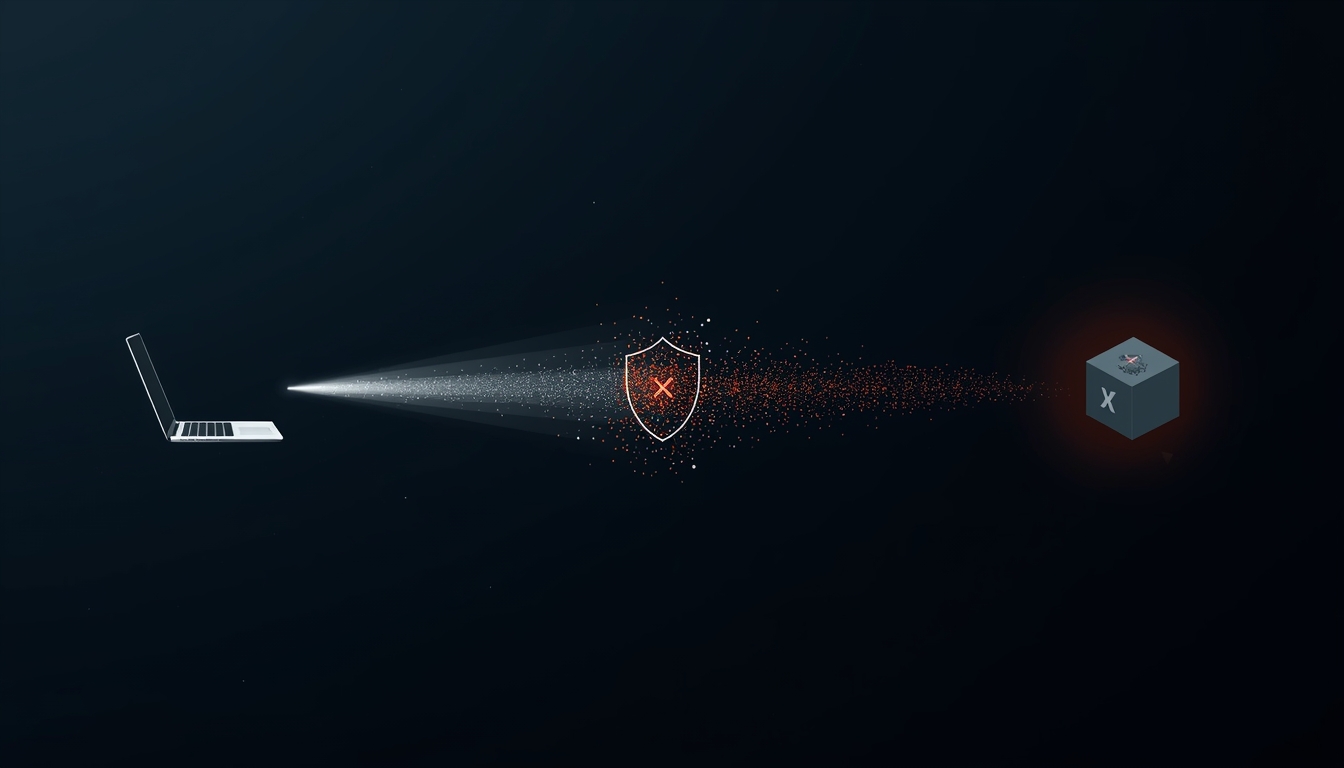
Brave's philosophy hasn't moved with the AI arms race, and that's precisely its value proposition. Leo works immediately without sign-up. All conversations are stored locally — the free tier and premium tier both have no cloud persistence of chat data. In June 2025, Brave made a significant architectural change: all AI models — including Claude — are now hosted through Brave's own secure AWS infrastructure, eliminating the 30-day Anthropic data retention that previously applied under standard API terms. No data is shared back to Anthropic, Meta, or any other model creator. Brave's reverse proxy anonymizes requests so even Brave cannot link queries to your IP address. The Bring Your Own Model (BYOM) feature lets you connect local models via Ollama, or third-party APIs using your own key. Leo's Automatic Mode intelligently routes your query to the best available model — routing images to vision-capable models, code to code-optimized models — without you needing to track which model excels at what.
Expert ratings at a glance
Model lineup (as of April 2026)
| Model | Tier | Best used for |
|---|---|---|
| Llama (Meta) — latest | Free | General reasoning, multilingual |
| Qwen — latest | Free | Code, analysis, long context |
| Gemma (Google) — latest | Free | Efficient general tasks |
| GLM 4.7 Flash | Free | Fast responses, lightweight tasks |
| Claude Haiku (Anthropic) | Premium | Domain expertise: coding, legal |
| Claude Sonnet 4 (Anthropic) | Premium | Complex reasoning, writing, research |
| Kimi K2.5 | Premium | Long-context documents |
| Deepseek v3.2 | Premium | Code and technical analysis |
| Your own model (BYOM) | Any tier | Local Ollama models or custom API endpoints |
Every Leo request is routed through a Brave-operated reverse proxy that strips your IP address before the request reaches the model. No conversation data is retained after your response is generated. Your chat history exists only in your local browser storage — not on Brave's servers. The premium subscription uses unlinkable cryptographic tokens, so even Brave cannot connect your subscription email to your actual Leo usage. This architecture is published and auditable — it's not a policy claim, it's a technical design.
Tier 4 — AI-Augmented Incumbents
Google Chrome + Gemini: Auto Browse Arrives, But Privacy Costs Remain
Does Google Chrome have agentic AI features? Yes. Chrome launched Auto Browse in January 2026 — an agentic feature that allows Gemini to scroll, click, and fill forms on your behalf. It requires AI Pro ($20/mo) or AI Ultra ($30/mo) and is currently available in the US only. Chrome also supports the Universal Commerce Protocol for agentic shopping, launched April 7, 2026.
Chrome's 71.9% global share means Auto Browse will reach more users than all AI-native browsers combined — once it rolls out
On January 28, 2026, Google made its most significant Chrome AI move in years. A persistent right-side panel replaced the floating Gemini window. The panel understands tab groups contextually — open multiple tabs from a single page, and Gemini treats them as a linked context cluster. Auto Browse (the agentic feature for AI Pro and Ultra subscribers in the US) launched in preview: Gemini can now scroll, click, enter text, and traverse websites on your behalf. Actions happen on-device with cloud model processing. The browser pauses before consequential actions and displays a step-by-step audit trail. Auto Browse uses Google Password Manager for auto-fill with explicit user authorization. On April 7, 2026, Google added support for the Universal Commerce Protocol (UCP) — an open standard co-developed with Shopify, Etsy, Wayfair, and Target that allows AI agents to take authenticated commerce actions seamlessly.
Expert ratings at a glance
Chrome holds ~71.9% global browser market share. Google doesn't need to win on features — it needs to be "good enough" at AI to neutralize the reason to switch. Auto Browse, Personal Intelligence, and UCP together make a compelling case that Chrome will be a fully competitive agentic browser within 12 months without users needing to install anything new. For the 3 billion people already on Chrome, this may be the only AI browser they ever use.
Tier 4 — AI-Augmented Incumbents
Microsoft Edge + Copilot: The Only AI Browser with Enterprise Controls Today
Is Microsoft Edge good for enterprise AI browsing? Yes — Edge is the only AI browser in 2026 with production-ready enterprise controls: SCIM provisioning, ADMX policy templates, eDiscovery feeds, and DLP policies are all live. However, these advantages largely disappear without a Microsoft 365 subscription, and Edge has no agentic task execution comparable to Comet or Chrome Auto Browse.
Edge's Copilot integration is genuinely impressive inside Microsoft 365. Page summarization, content creation, video insights, and deep Outlook/Teams/Word integration form a coherent suite. The key enterprise differentiator is what the newer AI browsers fundamentally lack: mature admin controls, SCIM provisioning, compliance tooling, eDiscovery feeds, and ADMX-ready policy templates. IT teams can manage Edge at scale today — Dia, Comet, and Atlas cannot make that claim. Without a 365 subscription, the experience strips back to near-vanilla Chrome. For individual developers outside the Microsoft ecosystem, the alternatives above offer more compelling AI experiences at a lower total cost.
Expert ratings at a glance
At a Glance
AI Browser Comparison: Side-by-Side 2026
| Browser | AI Tier | Agentic | Privacy | Free tier | Mobile | Platform | Enterprise ready |
|---|---|---|---|---|---|---|---|
| Perplexity Comet | Agentic | ✓ Full | ~ 3 modes | ✓ Yes | ✓ iOS + Android | Mac / Win / Mobile | ✗ |
| ChatGPT Atlas | Agentic | ~ Plus/Pro | ~ Opt-in | ~ Limited | ✗ Coming soon | macOS only | ~ Early access |
| Dia Browser | Smart + integrations | ✗ | ✓ Local controls | ✓ Free tier | ✗ Planned | Mac + Win preview | ~ Roadmap only |
| Opera AI (free) | Smart assistant | ✗ | ~ Moderate | ✓ Yes | ✓ iOS + Android | All platforms | ✗ |
| Opera Neon ($20) | Agentic | ✓ Neon Do | ~ EU servers | ✗ Paid only | ~ Desktop focus | Desktop | ✗ |
| Brave Leo | Smart assistant | ✗ | ✓ On-device + own infra | ✓ Yes | ✓ iOS + Android | All platforms | ✗ |
| Arc Max | Smart assistant | ✗ | ✓ Good | ✓ All features free | ✗ | macOS only | ✗ Dead end |
| Chrome + Gemini | Augmented + agentic | ~ AI Pro/Ultra US | ✗ Google data | ~ Basic sidebar | ✓ Yes | All platforms | ~ Google Workspace |
| Edge + Copilot | Augmented | ✗ | ~ Enterprise tools | ~ M365 needed | ✓ Yes | All platforms | ✓ Best in class |
Critical Reading
AI Browser Security Risks You Must Understand in 2026
Agentic browsers introduce an entirely new attack surface that traditional browsers never faced. Before you delegate tasks to any AI browser, understand these three threat vectors.

Prompt injection attacks target the space between web content and AI agent execution — a structural vulnerability in all agentic browsers
Both Comet and Atlas are vulnerable to prompt injection: malicious instructions embedded in webpage content — invisible text, image alt tags, metadata — that fool the AI agent into executing unintended commands. In Comet's "CometJacking" vulnerability, these instructions could access Gmail or Google Drive when authenticated tabs were open. Atlas's "Tainted Memories" CSRF flaw allowed persistent injection into cross-session memory. Safe practice: never leave banking, brokerage, or medical accounts open while any AI agent is active. Treat your authenticated sessions as a separate browsing context from AI-assisted work.
During intensive multi-source research, Comet generates citations that don't exist approximately 14% of the time — compared to under 1% for dedicated research models like o3 Pro. Neon's Chat agent has been documented confidently describing content it cannot see. Simple mitigation: paste source URLs into a browser tab and verify they exist and contain the claimed content. Never use an AI browser's research output as a sole source for consequential decisions.
For regulated industries (healthcare HIPAA, legal privilege, financial NDA), only Brave Leo meets the threshold for sensitive client data in a browser AI context. Every other AI browser on this list stores data on third-party servers in some mode.
| Browser | Data stored where? | Retention period | Training opt-out | Regulated use? |
|---|---|---|---|---|
| Brave Leo | Local only | Session only | N/A — no cloud | ✓ Yes |
| ChatGPT Atlas | OpenAI servers (opt-in) | 30 days then deleted | Off by default | ✗ No |
| Comet (Local mode) | On-device | Session only | N/A — on-device | ~ With care |
| Comet (Standard) | Perplexity servers | Session + training | Must opt out manually | ✗ No |
| Opera Neon | EU-hosted servers | Per Opera's TOS | Account setting | ✗ No |
| Chrome + Gemini | Google servers | Google's data policy | Activity controls | ✗ No |
| Edge + Copilot | Microsoft servers | Microsoft's data policy | Enterprise policy | ~ M365 DPA only |
How to Choose
Which AI Browser Should You Use? Decision Guide 2026
Final Verdicts
Best AI Browser 2026: Final Verdicts by Use Case
Best free agentic browser
Perplexity Comet
Full Agent Mode, no paywall, Chrome extensions, iOS and Android, Deep Research → direct PowerPoint/XLSX output. The most complete free option in 2026.
Best for privacy
Brave Leo
All models on Brave's own infra — no data reaches Anthropic, Meta, or anyone. Zero login, local history, unlinkable tokens. BYOM for fully local models. The only defensible choice for regulated data.
Best for developer workflows
Dia Browser
Skills = scriptable AI shortcuts. Slack/Notion/Calendar integrations. Atlassian backing means the Jira integration that makes it uniquely powerful for dev teams is on its way.
Best for ChatGPT subscribers (Mac)
ChatGPT Atlas
Native DOM access, transparent step-by-step Agent narration, cross-tab memory. The integration is unlike anything a plugin can replicate. Wait for Windows before committing fully.
Best free AI browser (all platforms)
Opera AI
Image generation, multi-model switching, tab commands — free, all platforms including iOS and Android. No ecosystem lock-in. The maximum-features-zero-cost option.
Best for enterprise / Microsoft 365
Microsoft Edge
Only AI browser with mature SCIM, eDiscovery, and ADMX policy templates today. Until Dia ships enterprise tooling, Edge is the only defensible choice for IT-governed deployments.
Best all-platform agentic premium
Opera Neon
GPT-5.1 + Gemini 3 Pro in one $19.90/mo subscription. Make tool for web creation has no rival. Cloud VM agents work offline. Compelling for heavy AI power users.
Best for staying put (safe default)
Google Chrome
Auto Browse is live. UCP for agentic commerce is live. Personal Intelligence incoming. 3 billion users don't need to install anything. For most people, Chrome's AI will be good enough before 2027.
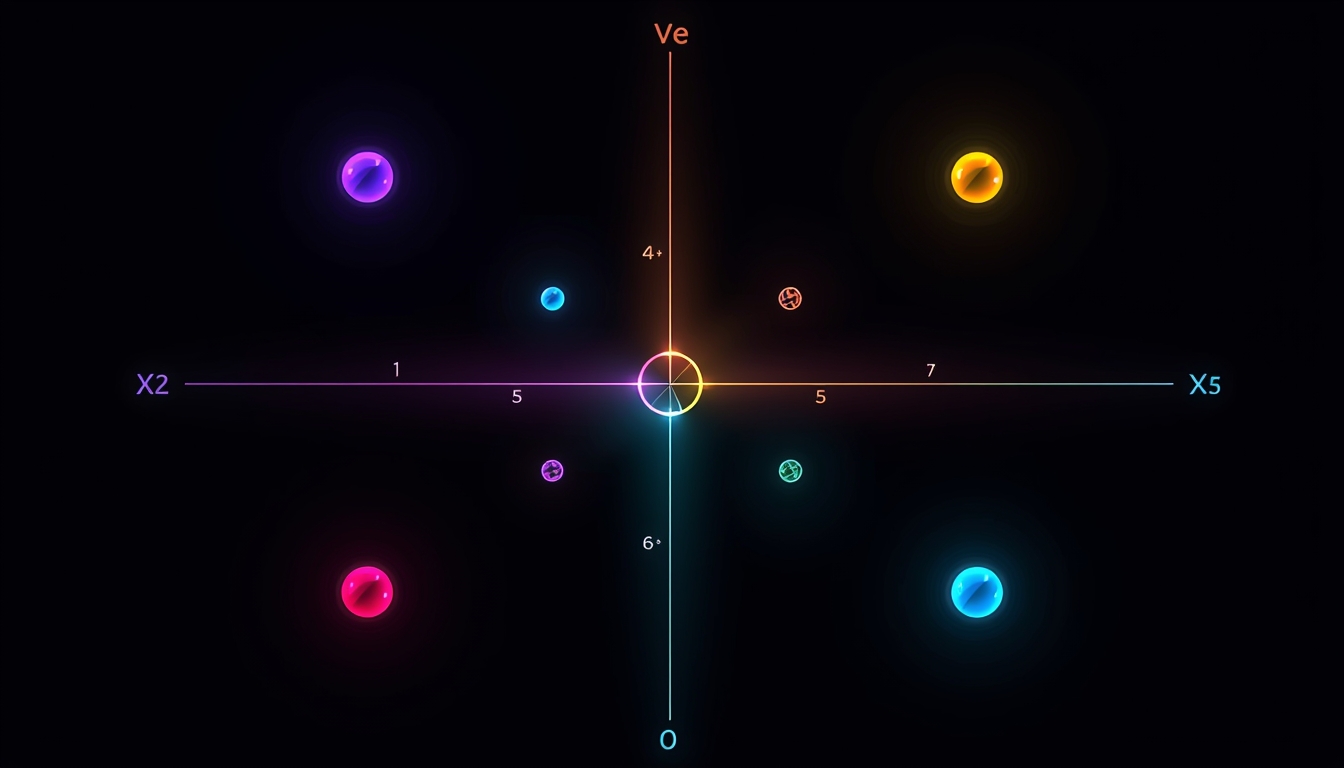
Positioning map: agentic capability vs. privacy posture — each browser occupies a distinct niche
Common Questions
Frequently Asked Questions About AI Browsers (2026)
What Does the AI Browser War Mean for How We Browse?
The browser used to be a passive vessel. You drove; it followed. That model served us well for 30 years. But the cognitive load we offload to web browsing has compounded to the point where the passive vessel is the bottleneck.
In 2025 and 2026, every meaningful AI company — OpenAI, Perplexity, Atlassian, Opera, Google — made the same bet simultaneously: the browser is the highest-leverage layer to own in the AI era. A $610M acquisition, an Amazon lawsuit, two major security disclosures, and a new open commerce standard all arrived within 12 months. That's not a trend. That's a platform war.
Whether that's Comet handling your research legwork, Dia automating your PR review process, Atlas narrating its way through a multi-step booking, or Brave Leo summarizing documentation without a single byte touching a cloud server, the tooling is real and available right now. The security rough edges are also real. The hallucination rates are real. The platform limitations are real.
The question isn't whether to use an AI browser. It's which risks you're comfortable accepting in exchange for which productivity gains — and whether the browser you pick will still exist and thrive in 18 months.